Energy Documents Displaying Documents
Click the green document download icon ( ) in the left-most View column of the data grid to automatically view or download a document to the download location specified in your browser. There is also the option of right-clicking any PDF documents and selecting Open link in new tab.
To share a specific document, right-click the green document download icon () in the left-most View column of the data grid, and from the context menu, click Copy link address. This link can be shared with someone who has access to Energy Documents. If they are already logged into Energy Documents and have sufficient entitlements, the link displays the specific document directly when pasted in their browser's URL address bar.
A document download icon that is grayed out ( ) indicates that you are entitled to view and download the data, but all your seat licenses are currently in use.
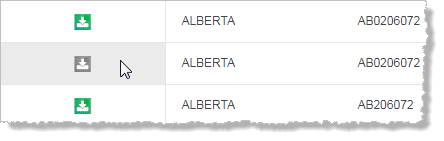
Hover over the image above to enlarge it.
Try again later when a seat is available, or select  > Subscription Inquiry to contact your sales representative to either purchase additional seats or to upgrade to a site license.
When a document is downloaded locally, the default file name format is as follows:
| License Number | UWI | Document Type | DST Number | Document Date (YMD) | PAS ID | PAS Document Type |
|---|---|---|---|---|---|---|
| AB0406619- | 100153305005W500- | DST- | 1- | 2009-02-27- | 7102786- | PAS |
Where any of the above attributes are not defined for a file, the name of the downloaded file skips that attribute. For example, AB0406619-100153305005W500-DST.PAS where the DST Number, Document Date, and PAS ID attributes are not defined in Energy Documents.